

You can use the Filter transform to apply filters to a selected column. You can choose to have Workbench return matches or non-matches for the specified filter query. You can also include or exclude blank cells in your filtered data.Documentation Index
Fetch the complete documentation index at: https://domoinc-arun-raj-connetors-domo-480645-add-reports-sort-asc.mintlify.app/llms.txt
Use this file to discover all available pages before exploring further.
-
In Workbench, Click
 in the left-hand icon bar.
- In the Jobs listing, double-click the DataSet job with columns you want to filter.
- Click Transforms to expand that section of the pane.
- In the Add a transform menu, select Filter Transform.
-
Click the
 button.
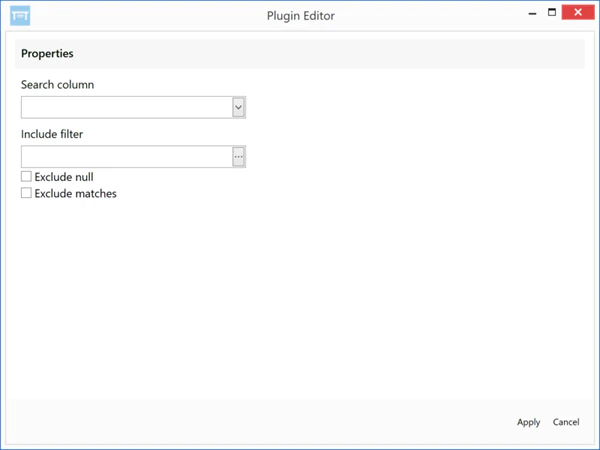
The Filter Transform Editor appears.
button.
The Filter Transform Editor appears.
- In the Search Column menu, select the column you want to filter.
- In the Include Filter field, enter your filter query.
- (Conditional) If you want to prevent blank cells from appearing in your filtered column, set Exclude Null to On. Otherwise leave this off.
- (Conditional) If you want your filter to return non-matches for your query, set Exclude Matches to On. Otherwise leave this off.
- Click Apply.
-
Click
 at the top of the pane to save your transform.