

Documentation Index
Fetch the complete documentation index at: https://domoinc-arun-raj-connetors-domo-480645-add-reports-sort-asc.mintlify.app/llms.txt
Use this file to discover all available pages before exploring further.
Intro
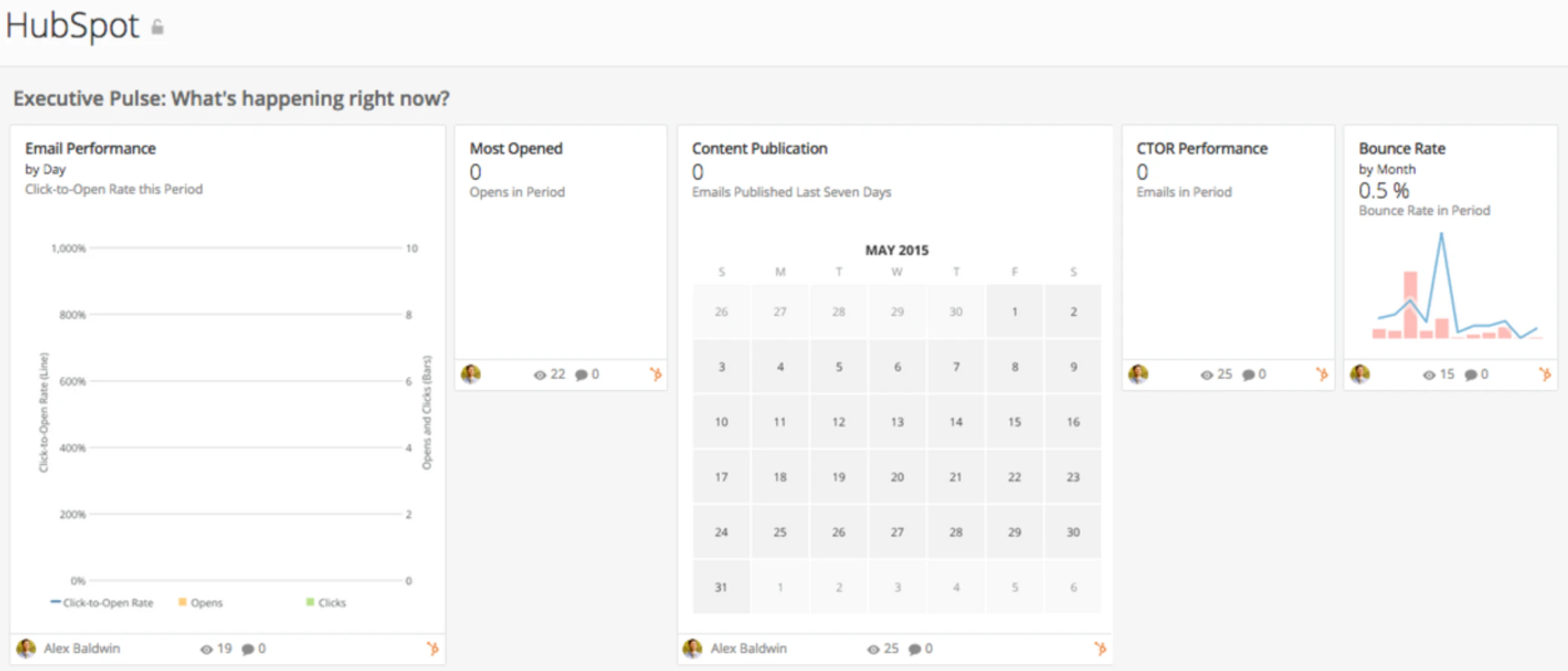
HubSpot is an inbound marketing platform designed to help you attract more customers. The HubSpot QuickStart App gives you a quick view of sends, deliveries, unsubscribes, and even the measure of customer interaction through clicks and opens.Screenshot
Requirements and Notes
- User Hub ID is required to authenticate.
- Default date range: pulls all available data.
Usage
Executive Pulse: What’s happening right now?-
Executive Pulse: What’s happening right now?
- Bounce Rate
- Most Opened
- Email Performance
- Content Publication
- CTOR Performance
- Top Keywords by Visits
-
Sends and Deliveries: Grow your email list without hurting your deliverability.
- Sends
- Leads by State
- Unsubscribe Rate
- Delivery Rate
- Unsubscribes
-
Engagement: Increase your audience’s response to your messaging.
- Click-Through Rate
- Top 20 Emails by Click-Through Rate
- Most Clicked Emails
- Visitors by Country
- Most Opened Emails
- Top 20 Campaigns
- Page Views by State
- Open Rate
- Click-to-Open Rate
Authentication
| Credential | Description |
|---|---|
| Hub ID | Enter your Hub ID. You can find this at the bottom of your HubSpot dashboard. |
Quickstart Reports
For report descriptions, see HubSpot Connector.| Report | Schedule Update Setting | Parameters | Selection |
|---|---|---|---|
| Emails | Replace | Report | Emails |
| Keywords | Replace | Report | Keywords |
| Prospects | Replace | Report | Prospects |